| Software Music Machine Archive |
|
AudioTime Scheduled Sound Recorder
Download from the |
Operating System:
File Size:
253 KB
License:
License Conditions: Registration: US$90 System Requirements: Last Updated: 2001-02-01
For more detail about software : Software Description
|
View AudioTime Scheduled Sound Recorder Screenshot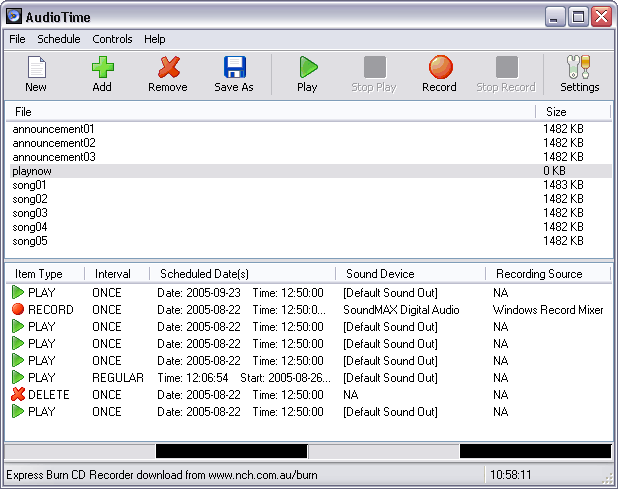 |
Software Description
AudioTime lets you schedule your Windows computer to record or replay audio at certain dates and times or regular times on certain days of week. It can replay a file while the file is being recorded (to delay the recording) and record or replay multiple files at the same time (if you have more than one sound card installed)
>
>Features:
- Record or replay audio automatically.
- Schedule for either certain dates or time of day on specified days of week between commence and expiration dates.
- Replay a file while it is still being recorded (eg. to delay a network program) or to record a file while it is still being played.
- Select sample rate from 8kHz to 96kHz in either mono or stereo.
- Record multiple files at the same time or replay multiple files at the same time by installing more than one sound card.

123
art hfv kuvb in k